
Custom WhatsApp Business API Integration: How to Automate Sales and Support

Across Latin America, WhatsApp isn’t just another channel — it’s the channel. Customers asking for prices, booking appointments, following up on an order, or requesting support almost always start (and often finish) that conversation there. The problem is that in most companies, that channel lives in isolation: a shared phone, a salesperson replying from a personal number, conversations that vanish when someone changes roles, and no record of what was promised or to whom.
As volume grows, that informality becomes a real bottleneck: leads nobody answers in time, follow-ups that fall through the cracks, and a team spending more time copying information out of WhatsApp than actually serving customers.
Why informal WhatsApp stops scaling
The symptoms repeat regardless of industry:
- Lost leads because messages arrive after hours or to a number nobody checks in time.
- No centralized history: when a salesperson leaves, the conversation history with the customer leaves too.
- Double entry: someone manually copies data from WhatsApp into the CRM, a spreadsheet, or the order system, introducing errors and delays.
- No metrics: there’s no way to know how many messages get answered on time or how many conversations turn into a sale.
None of these problems get solved by hiring “one more person for the chat.” They get solved by giving the channel structure.
What a custom WhatsApp Business API integration is
The official WhatsApp Business API (distinct from the free app) lets you connect the channel directly to the systems your company already uses. A custom integration takes that capability and adapts it to how your business actually operates — not to a generic chatbot flow.
Typical components include:
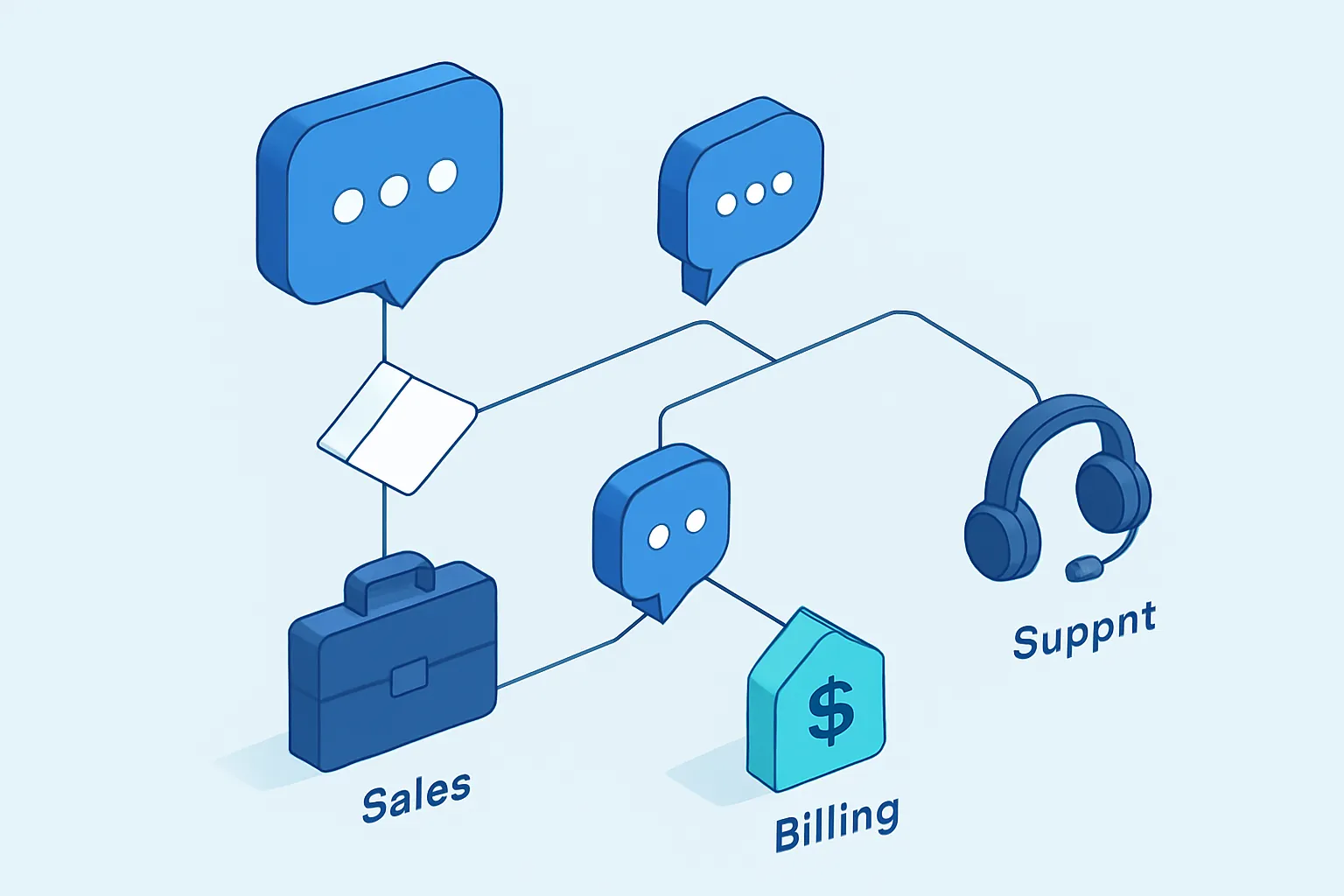
- Smart conversation routing to the right salesperson, department, or agent based on the type of inquiry.
- Automatic CRM sync, so every conversation is linked to the right customer, opportunity, or order.
- Automated responses and flows for FAQs, quick quotes, or order status, with a smooth handoff to a human when the case requires it.
- Proactive notifications: order confirmations, appointment reminders, or delivery alerts sent automatically from your system.
- Complete, auditable history of every conversation, available to the whole team — not just to whoever handled it.
Why custom instead of a generic chatbot
Off-the-shelf chatbot platforms handle FAQs reasonably well, but they rarely know your catalog, your pricing rules, your credit approval process, or how your inventory connects in real time. The result is usually a bot that answers the obvious questions fine and falls flat the moment a customer asks something specific to your business.
A custom-built integration:
- Connects to your existing ERP, CRM, or order system, without capturing the same data twice.
- Applies your real business rules: customer-specific pricing, live inventory availability, per-branch hours.
- Scales its routing as your team grows, without depending on a third party’s rigid configuration options.
- Gives you full control over customer data, instead of leaving it inside someone else’s platform.
From conversation to actionable data
The real value isn’t just automating replies — it’s turning every conversation into useful business information. With the right integration, each incoming message can trigger automatic actions: creating a lead in the CRM, updating an order’s status, opening a support ticket, or alerting a supervisor when a customer has gone unanswered for too long.
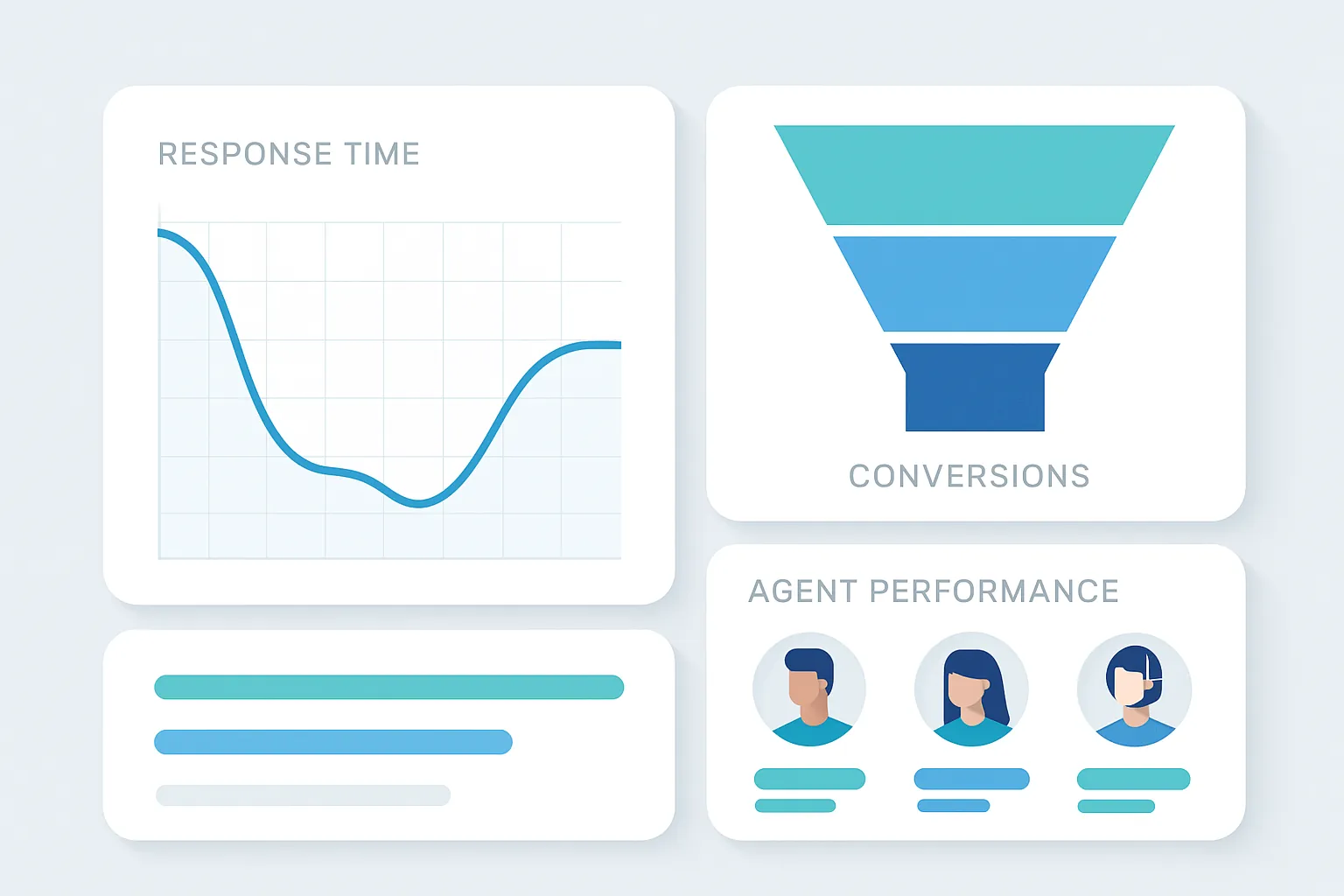
That same flow makes it possible to measure what used to be invisible: average response time, the percentage of conversations that convert into a sale, and which agents or branches are delivering the best service.
What return to expect
Companies that move from informal WhatsApp to a structured integration typically see:
- Fewer lost leads, thanks to routing and automated after-hours responses.
- Shorter sales cycles, because the salesperson has full customer context without hunting for it in another system.
- Less operational load on repetitive tasks, freeing the team for conversations that genuinely require human judgment.
- Real visibility into the channel, with reports that simply didn’t exist before.
A good integration doesn’t replace the human touch — it removes the mechanical work that keeps your team from giving each customer quality attention.
How to get started
You don’t need to automate the entire channel overnight. The most practical path is usually: identify the highest-volume conversation types (quotes, order status, basic support), automate those first, and connect the rest to your CRM so the human team works with full context from the very first message.
At Kimo Solutions, we design custom WhatsApp Business API integrations connected to your CRM and your real systems. If you’d like to talk about what this could look like for your company, contact us.
Have a project in mind?
Get in touch →